Keep Your Home Budget Under Full Control
Manage income, fixed expenses, daily spending and instalments in one screen. Category limit alerts and real-time balance mean nothing slips through.

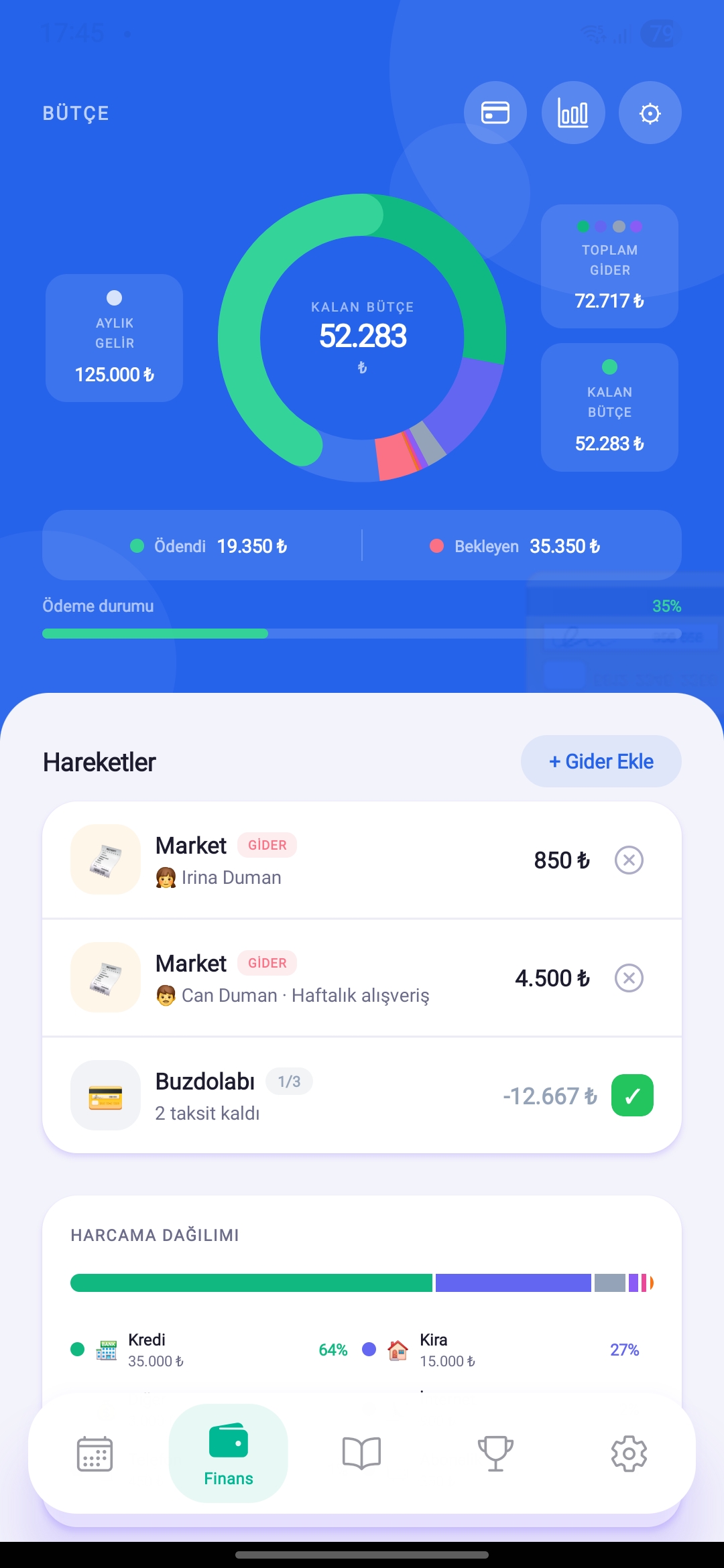
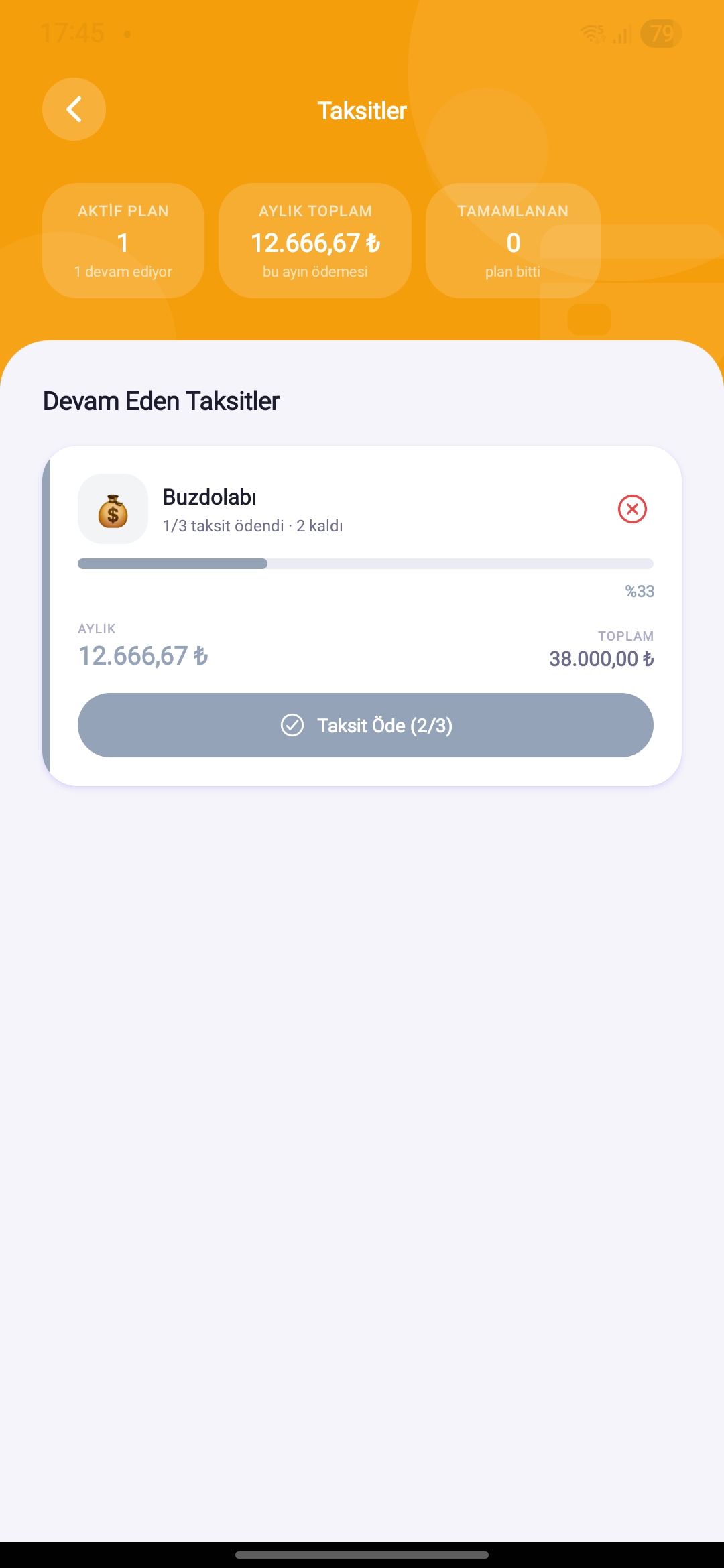
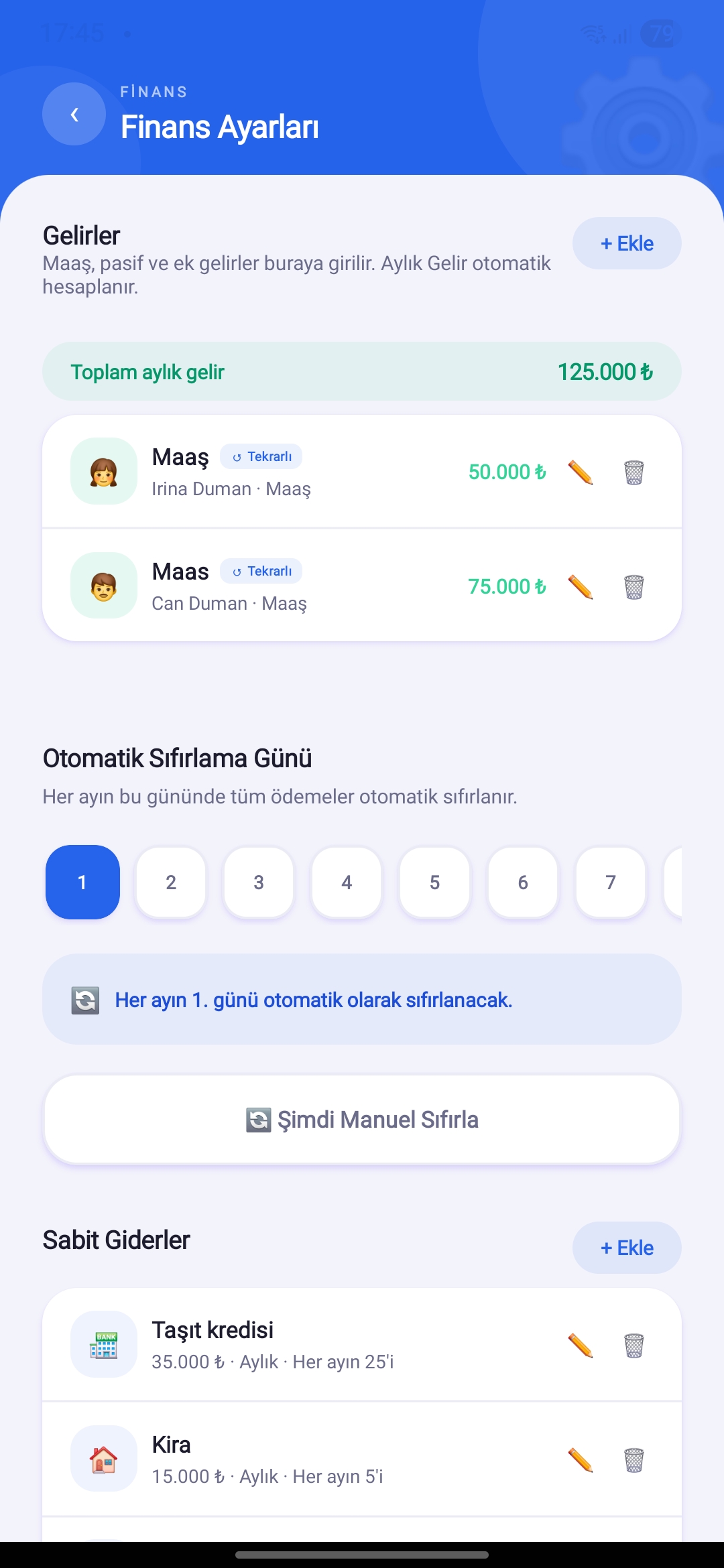
Frames from the Budget Screens
Budget OverviewRemaining budget, income/expense totals
Income & Expense ListAll transactions in chronological order
Categories & LimitsSpending breakdown and limit tracking
The Budget Module, Feature by Feature
Collect All Your Income in One Place
Salary, freelance, rental income — record by selecting a category. Total income is calculated in real time and reflected on the budget card.
- Define one-time or recurring income
- Category grouping (Salary, Freelance, Rent...)
- Edit and delete past records
- Total income shown in real time on the budget card
Manage Fixed & Daily Expenses Separately
Define fixed expenses like rent and bills once — auto-deducted each month. Log daily expenses with category and notes.
- Fixed expenses auto-calculated monthly
- Set monthly limits per expense category
- Instant notification when a limit is exceeded
- Filter and search expense history
Don't Lose Track of Instalments
Phone, TV, appliances — add everything you bought in instalments. Remaining count and progress bar always in sight.
- Product name, total amount and instalment count
- Monthly instalment load reflected in total budget
- Payment status shown with progress bar
- Automatically closes when instalments are complete
The Complete Budget Module
Savings Goals
Set goals for holidays, items or emergency funds. Progress fills with every payment.
Debt Tracking
Record money owed and owing. Debt amount updates with partial payments.
Payment Calendar
Instalments and fixed costs on the calendar. Know upcoming payments in advance.
Real-Time Balance
Remaining budget updates instantly after every entry.
Limit Alerts
Receive an instant notification when spending exceeds a category limit.
Financial Reports Premium
View monthly charts and category breakdown, export as PDF.
To Use It More Effectively
Enter fixed expenses at month start
Define once and they auto-deduct every month — no need to re-enter.
Set limits for every category
Grocery, restaurant, transport... Get warned before you hit the limit.
Log expenses at the moment of purchase
Logging instantly prevents memory errors and keeps categories accurate.
What to Do in the First 5 Minutes?
Open the Budget tab.
Tap "Add Income" and enter your monthly income.
Define fixed expenses like rent and bills.
Set monthly limits for categories like grocery and dining.
Log your first expense — remaining budget updated instantly!
Related Features
Download HomBoo Now
All you need to start tracking your budget is download the app.